
Don’t forget to set your phone forwarding before you go on your Christmas holiday
The holiday season is just around the corner, and we at the Service Center would like to remind everyone to set a forwarding message in Trio with information about the start and end dates of your vacation. This makes it easier for us when a student or someone else tries to reach you during your absence.
Refer your extension in four easy steps:
1. Go to https://trio-miun.uc.tele2.se/TrioUser/
2. Select Referrals from the menu on the left
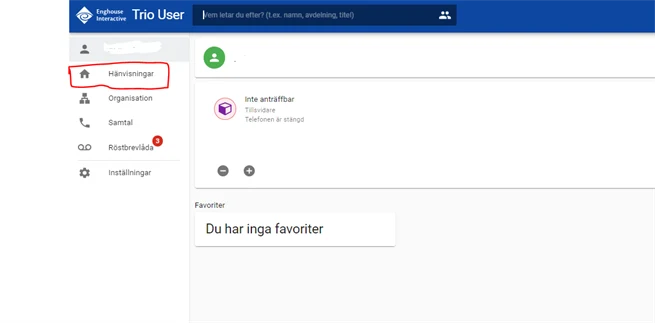
3. Select Vacation as the referral reason
4. Enter the Start and End Time of your Vacation. Finish by clicking Create Referral
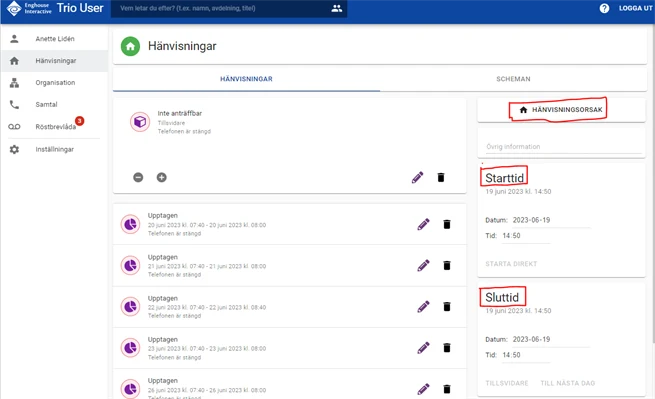
The referral will be disabled automatically when the end date/time of your event has passed, unless you change anything under Other settings.
Please note! Since there is a connection between the telephony system (Trio) and your Outlook calendar, you cannot have any calendar events entered during the same period as you specified for the phone referral in Trio User. Calendar events that are in your Outlook calendar will otherwise take over the referral setting you have set in Trio User.